
How to Create Your First Client Invoice: A Step-by-Step Guide
2026-06-13
Introduction
One of the last steps in a project is a client invoice, but it's also one of the items that most new freelancers and business owners aren't quite ready for. When you've been working so hard for days or weeks, demanding payment can come off as awkward. Questions start popping up: What should the invoice include? How detailed should it be? Am I charging the right amount? Will this look professional enough?
The fact is that invoicing is not about asking for money; it's about creating clarity. Structured invoices will provide your client with information about what was delivered to them, how much they are responsible for, when it is due, and how they can pay. Once those things are understood, the payments tend to proceed more quickly, and communication is also much easier.
Whether you're billing your first freelance client, running a growing agency, or managing a small business, learning how to invoice properly is an essential skill. In this blog, you will learn what should be included in an invoice, how to make it professional, and how modern digital tools can make generating an invoice easier.
Why a Professional Client Invoice Matters More Than Most Beginners Realize
Many people consider an invoice to be only a means for collecting payment. In reality, it does a lot more.
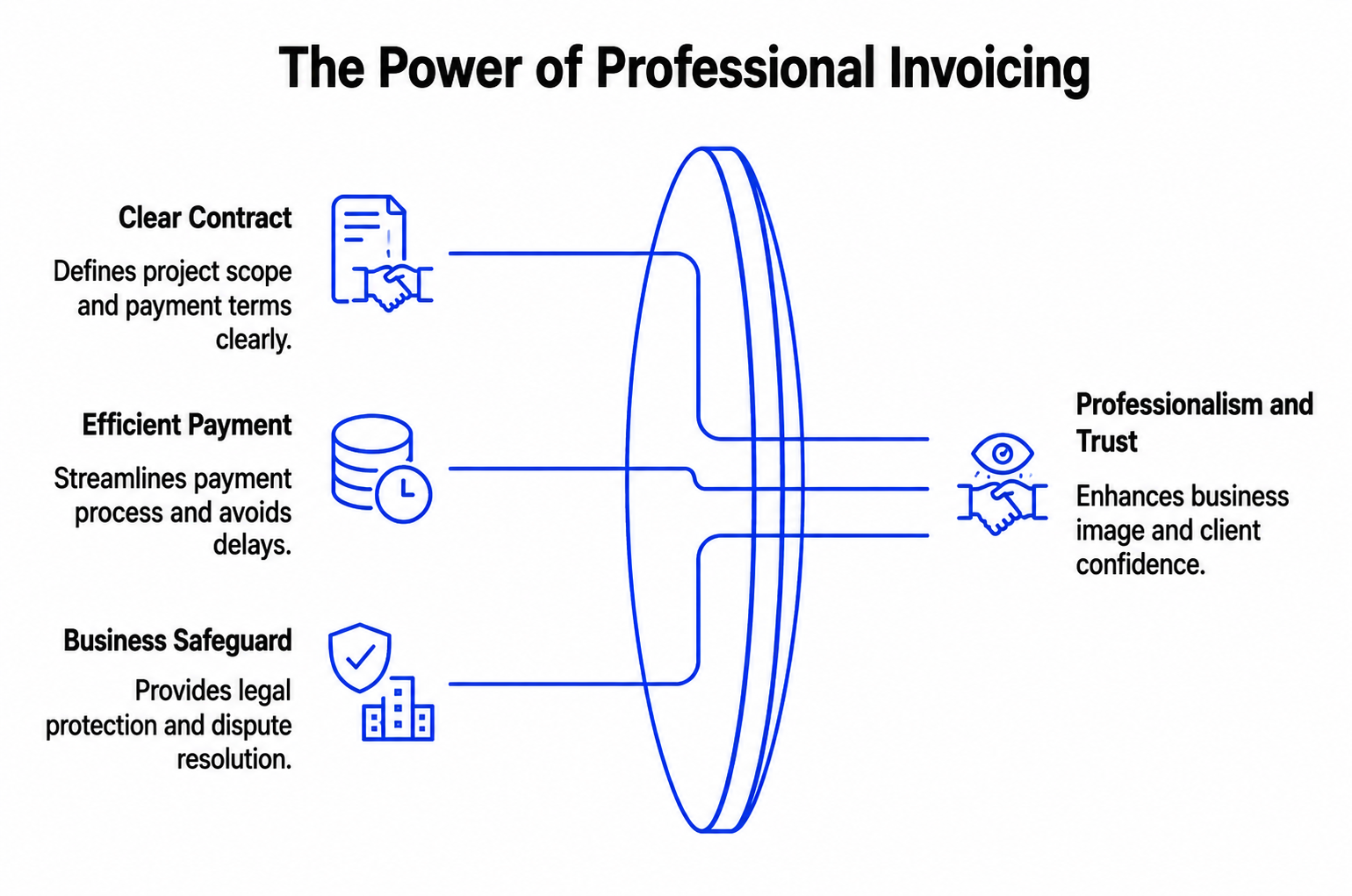
A professional invoice will give you a clear record of the contract between you and your client. It specifies what work is done, what was delivered at what time, and what payment is expected in return. If both parties are reading from the same document, there aren't many misunderstandings.
There have been times when we've worked with talented freelancers who weren't having cash flow problems as much as they were having cash flow problems due to inconsistent invoicing. Projects would be finished without issues, but payments were delayed since there was missing information on invoices, or invoices were sent days after the work was finished.
Also, a good invoice will indicate professionalism. Clients prefer to deal with people who are efficient and dependable. A correctly formulated invoice can create that trust and subsequently make future interactions easier.
More importantly, invoicing helps to safeguard your business. If questions do occur weeks or months later, you will have a paper trail of services rendered, agreed prices, and payment terms agreed at the outset.
What Information Must Be Included in a Client Invoice?
The most common misconception when it comes to invoicing is that it requires complicated accounting skills. It doesn't.
There are a few key details that are common to most professional invoices that enable a client to pay an invoice without having to contact the invoice issuer for clarification.
Your invoice needs to contain at least:
- The name of your business and contact information.
- Client's Name and Billing Details.
- Each invoice has its own distinct number.
- The invoice date.
- Description of products or services provided.
- The total amount due.
- The terms and the due date of the payment.
- Accepted payment methods.
The service description is noteworthy. Don't use vague terms like "Consulting Services" or "Design Work" because they can generate unwanted questions.
If you were doing a branding project, it would be best to say:
Logo design, colour palette development and social media assets, brand identity package.
The aim is straightforward: The client should know what they are buying without having to send an additional email.
Step 1: Gather the Essential Client and Project Information
Take a few minutes to get as much accurate information before opening an invoice template or using an invoice generator.
Although this may seem simple, it eliminates a lot of problems that will lead to payment delays later.
The first step is to verify the payee who's supposed to get the invoice. Smaller businesses may process payments directly through the owner, and larger businesses may have specific accounting departments. If the invoice is sent to the wrong contact, it may take days or even weeks to get paid.
Then check the original agreement, proposal, or contract. Ensure the services on your invoice are reflective of the services provided. If there are more tasks that were approved during the project, make sure to spell them out clearly, as there will be no surprises.
For instance, a site designer might at first agree to create a 5-page site. After the completion of half of the project, the client asks for more landing pages. If these additional pages are approved as separate pages, they should be listed separately on the invoice, not as part of the original invoice.
When it comes to payment processing, clients appreciate having accurate project information to process their payments quickly and effectively, and if there are any questions later, it keeps you and the client protected.
Establish a clear invoice structure.
Step 2: Create a Clear Invoice Structure
A lot of beginners tend to pay too much attention to design and think that an invoice must look awesome. But, in the real world, clarity is more important than creativity.
When a client reads an invoice, the important information should be immediately visible for a few seconds. That involves the sender of the invoice, the recipient, the tasks performed, the value of the payment, and the payment deadline.
A clean invoice has a fairly simple format:
- Business information
- Client information
- Invoice Number and Date
- Service breakdown
- Total amount due
- Payment instructions
Consider the invoices that you have received in your own name. Not all the ones that look good are professional. They are the ones who will make things easy and understandable without you having to look for information.
This is one of the reasons why the use of digital invoicing platforms has grown so popular. They automatically place information in a uniform and consistent format, allowing businesses to appear professional and save time on layout and design.
Step 3: Add Payment Terms That Prevent Delays
Many late payments often arise from unclear expectations rather than a client's unwillingness to pay.
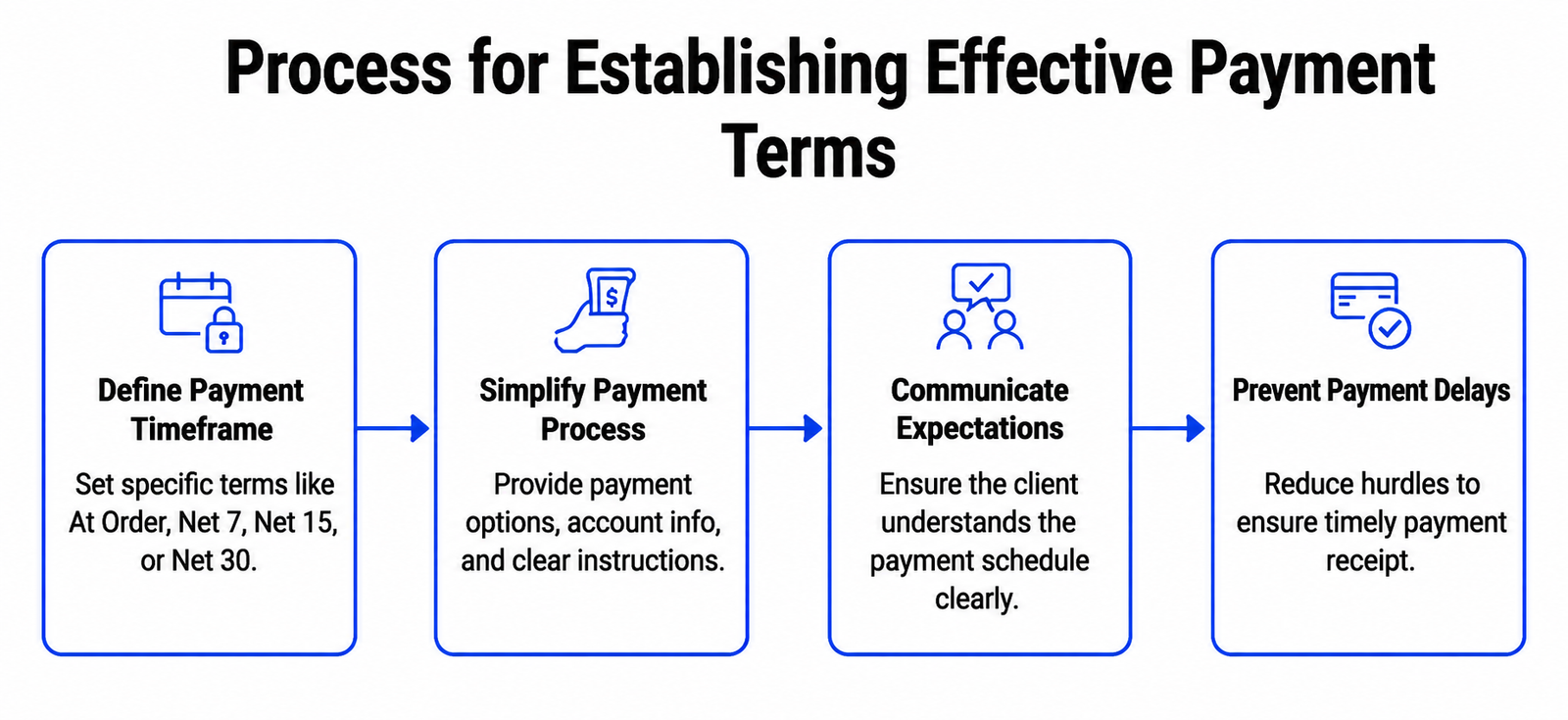
When an invoice is not subject to a specific timeframe, each client will have to understand the timeframe differently. Some believe that payments should be made as soon as possible; others have a 30-day arrangement.
Clear payment conditions eliminate any confusion.
You may want to have your payment terms be at the time of order, Net 7, Net 15, or Net 30, the key is what you tell people you expect. Payment should always be on time and never be a surprise to the client.
It is also important to make the payment as simple as possible. Provide acceptable payment options, relevant account information, and any directions that will be necessary for a successful sale.
Something so minor can make a big difference when it comes to receiving payments.
Many businesses spend hours chasing unpaid invoices when there is no clarity related to the payment instructions. The smoother the process, the fewer hurdles there are in your client's way to payment.
If you want to see good payment terms, you shouldn't feel pressured. They establish clarity, benefiting both parties in the relationship.
Step 4: Calculate Charges Correctly
There is nothing more frustrating than an invoice that has errors on it, and thus delays payment.
When sending materials to a client, make sure to double-check your calculations for a bit of time. Double-check that the pricing is in line with your quote or contract and ensure that any extra services and taxes, discounts, etc. are calculated accurately.
It is particularly crucial to be transparent here. When charging for several services, separate them, rather than lumping them together into one bill. Clients are far more likely to approve an invoice the soonest when they can see what they are paying for.
Suppose you are a marketing consultant who's getting paid a monthly retainer fee. It is best practice to provide a separate strategy session line if the client asks for another strategy session during the month, and this is indicated on the bill.
These types of invoicing tools have the ability to do the math for you, but it's good practice to do it yourself. This will help to avoid repeated contact and keep clients feeling confident in the process.
Step 5: Review Your Invoice Before Sending It
The work of making an invoice is only half done. It doesn't become a professional document until you read it.
Read the invoice as if you were the person who was receiving it for the first time before sending. Does the service description make sense? Are all amounts due correct? Does the payment information make sense, and is it easy to find?
There are delays that may be caused by minor errors. A simple typing error in an email address, an incorrectly entered invoice number, or simply a missing due date can very easily make a simple payment transaction turn into a tiresome email correspondence.
Also, you should make sure that the formatting is correct. When sending a PDF, open it first. Ensure proper display of all the elements on the desktop and mobile devices.
The additional few minutes might seem insignificant, but they often make up for a lot of time in the future.
Step 6: Sending Invoice to Client the Right Way
It can take a lot of time to design a professional-looking invoice, but not as long to send it.
Your invoice always comes with an email that's important to the payment discussion. It need not be lengthy, but should be professional and courteous.
Generally, it's a good idea to stick with just one message:
"Hi Angeline,
Thank you for the chance to do your website redesign project. Attached, you will find an invoice for the completed work. If you have any questions, please let me know.
Best regards,
Max"
See that the message is simple and courteous. Don't go on and on about it, and don't be apologetic when asking for payment. The point of an invoice is to convey the information.
Once you have sent the invoice, make sure to document the invoice delivery date. Follow up professionally if payment isn't received on time. Sometimes it's enough to remind them. Often, busy clients get distracted by emails, particularly when working on several projects at the same time.
A courteous follow-up will help to preserve cash flow and foster a positive relationship.
How E Invoicing Makes Business Payments Easier
With the proliferation of businesses going online, e invoicing has become a commonality in today's financial world.
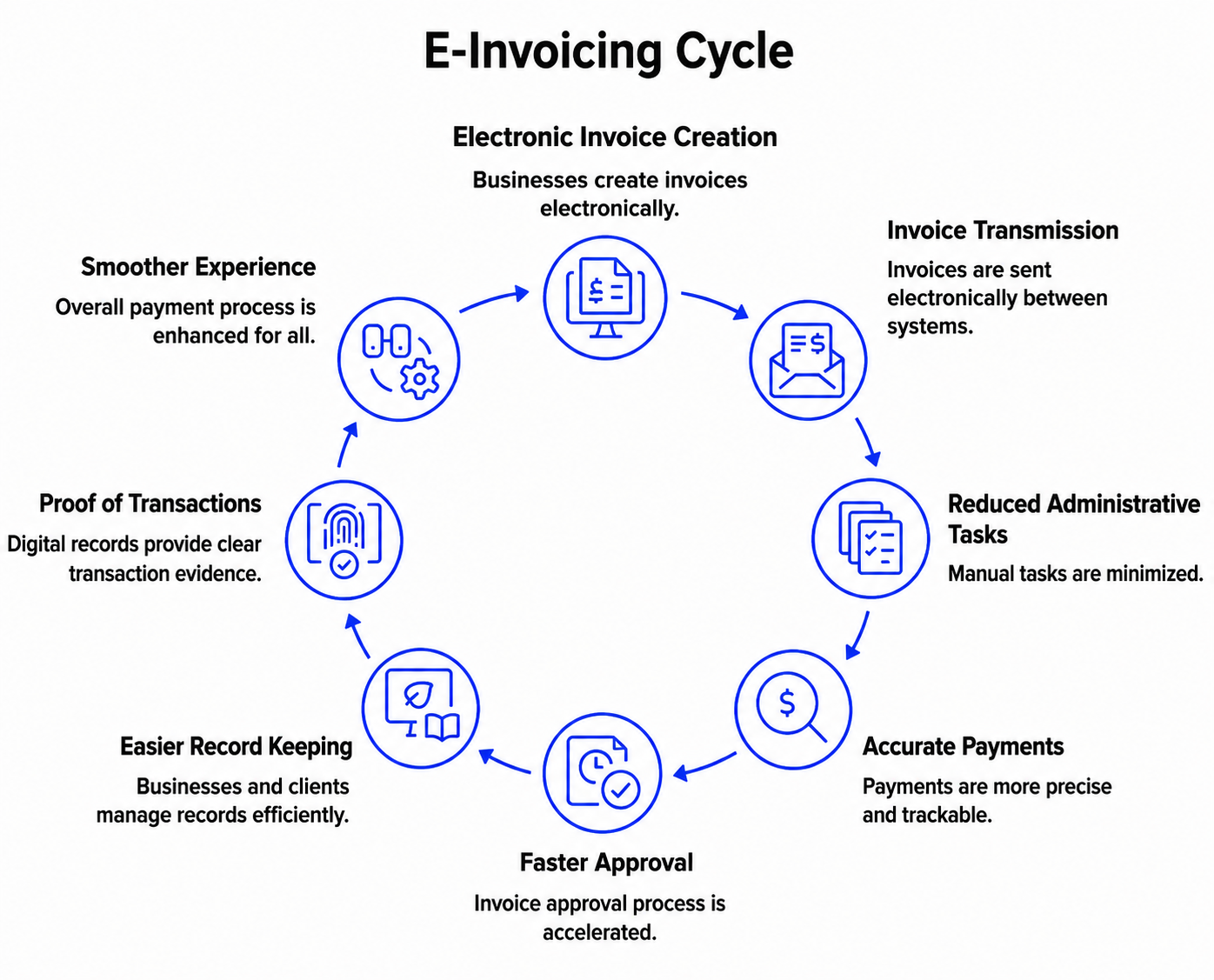
Conventional processes are mainly manual, and e invoicing ensures that invoice information is transported electronically from one system to another. This will decrease administrative tasks and the risk of data entry mistakes.
But for a small business, it is more important than the technical aspects. Electronic invoicing can make record keeping easier, make more accurate payments easier to track, and speed up the invoice approval process.
Clients also enjoy benefits. Digital records are much easier to manage and have the added benefit of easier proof of transactions, checking past invoices, and keeping financial records accurate.
This leaves everyone involved with this process in a much smoother experience.
Best Tools and Invoice Generator Options for Startups
Using an invoice generator can take the guesswork out of creating your first invoices.
These tools offer pre-made documents, making it easier to ensure that all the necessary information is included. They also minimize the formatting errors that can lead to an unprofessional look for the invoice.
There isn't a single best tool, as the ideal choice isn't necessarily the one with the most features. Instead, focus on software that offers reliable and straightforward invoicing.
Some useful features may include the ability to automatically calculate totals, customizable templates, download in PDF, track payments, and branding. Some platforms even enable you to include links to online payment methods, which can make payments easier for your clients.
Simplicity is often the most important feature that a newbie will appreciate.
How to Generate an Invoice Automatically Using Modern Software
So, if you are in search of a solution that will enable you to produce your invoice documents once and for all without having to duplicate these actions each month, automation can really help.
Today, invoicing software provides a way to store client data and use templates and automated recurring invoices. This is particularly beneficial for companies with monthly retainers or service fees.
The software can do many of the things that the human has to do, which are tedious, such as creating the same invoice repeatedly.
Several e invoice software programs even allow you to automatically assign invoice numbers, keep track of payment status, and remind customers when they are overdue.
Automation is not only a time saver. It is very helpful in ensuring consistency, one of the pillars on which a professional invoicing system is built.
Common Client Invoice Mistakes That Cost Businesses Money
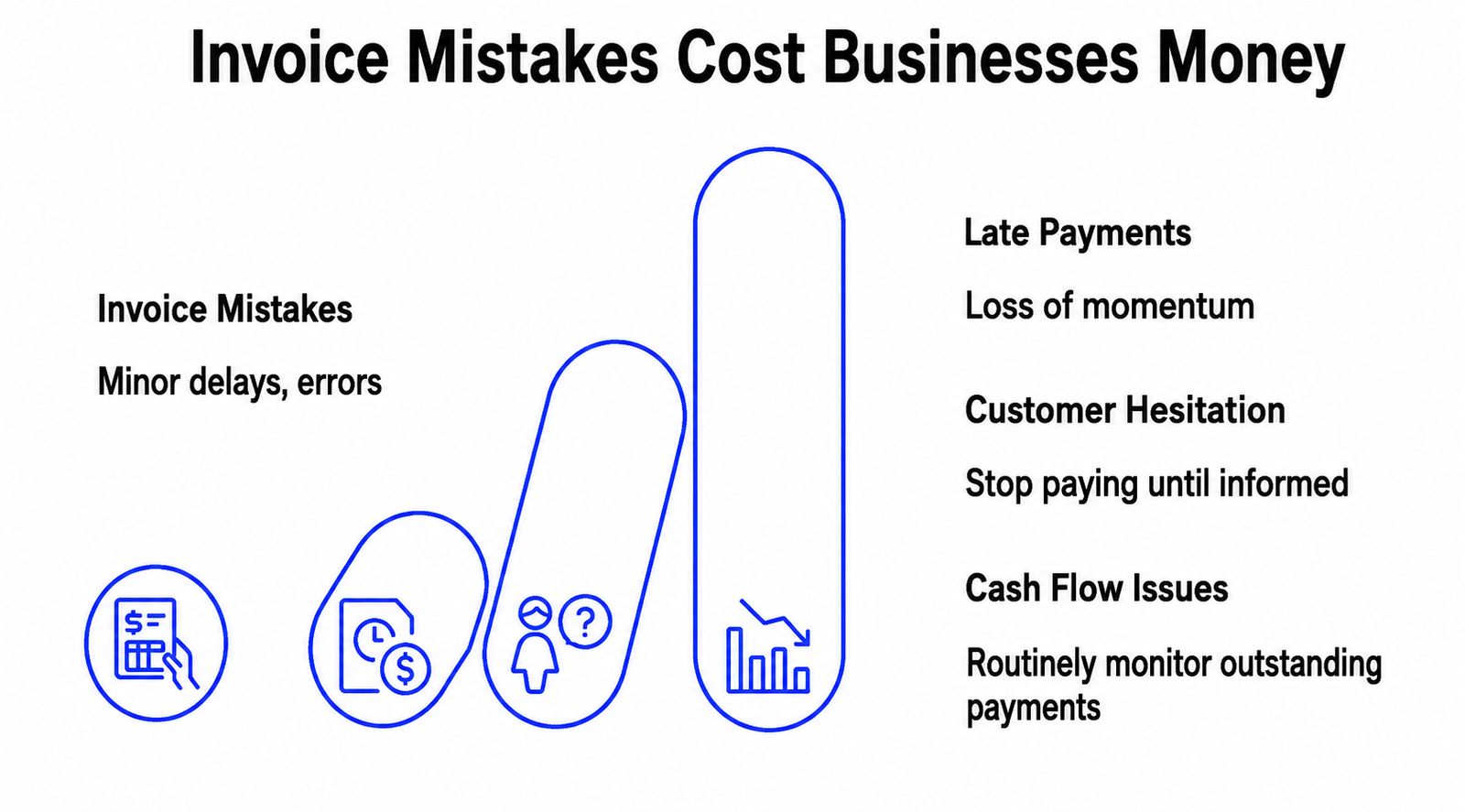
The majority of the issues that arise in invoicing are not serious ones. Typically, they're the result of minor delays that occur in small actions.
One of the most typical examples is late invoicing. Some freelancers complete a project and do not send the invoice until days or weeks later. By this time, there is a loss of momentum, and payment may be delayed.
Non-specific service descriptions can lead to similar problems. If customers are not immediately informed about the price that they are being offered, they may be tempted to stop paying until they are.
Another common reason for late payments is because of misspellings, wrong contact details, and wrong calculations.
One of the other errors is not following up. It's essential to send an invoice, but it is also essential to verify it as well. Companies that routinely monitor outstanding payments have better cash flow than those that wait for payments to arrive.
Good invoicing is not done to chase money. It's designed to establish a system that ensures payments flow smoothly.
Conclusion
Making an initial client invoice might seem daunting, but once you know how to do it, it's not a problem. At the very least, a good invoice performs three tasks: it lays out the work done, spells out the payment terms and conditions, and simplifies a client's payment. Once you have those elements in place, invoicing isn't just a process of asking for money, but a professional business touch.
A growing business can be organized with the support of technologies like digital-inviting platforms, invoice generators, and modern e-invoicing software that can help in decreasing administrative work. However, the right tools are not enough, and good habits are necessary.
Use accurate information, communication, and follow-up. Whether you are sending your first invoice or your 1000th, those basics will come in handy. Above all, don't overthink it. All successful business owners began in the same place as you. Make the invoice, send it with confidence, and take the next step to make your business more professional and sustainable.
Ready to Simplify Your Client Invoicing Process?
Create professional, accurate invoices in minutes with PDF Invoicing and get paid faster without the manual hassle.
Generate, manage, and send invoices effortlessly from one easy-to-use platform.
Frequently Asked Questions
What should be included in a professional client invoice?
A professional client invoice should include your business details, client information, a unique invoice number, invoice date, itemized service descriptions, total amount due, payment terms, and accepted payment methods. Clear and detailed invoices help prevent payment disputes and improve cash flow. Including accurate service descriptions also enhances transparency and creates a more professional invoicing process for both businesses and clients.
How do I create my first invoice step by step?
To create your first client invoice, gather the client's billing information, list the services provided, assign an invoice number, add the invoice date, and calculate the total amount due. Include clear payment terms, due dates, and payment instructions before reviewing the document for accuracy. A structured invoice helps ensure faster payments and maintains a professional business image.
What are the most common invoicing mistakes to avoid?
Common invoicing mistakes include sending invoices late, using vague service descriptions, omitting payment terms, making calculation errors, and failing to follow up on overdue payments. These issues can delay payments and negatively impact cash flow. Creating accurate, detailed invoices and sending them promptly helps businesses improve payment collection and maintain strong client relationships.
What is the easiest way to create and send invoices online?
The easiest way to create and send invoices online is by using an invoice generator or e-invoicing software. These tools automate calculations, invoice numbering, formatting, and payment tracking, saving time while reducing errors. With PDF Invoicing, businesses can quickly generate professional PDF invoices, streamline invoice management, and simplify the payment process for clients.