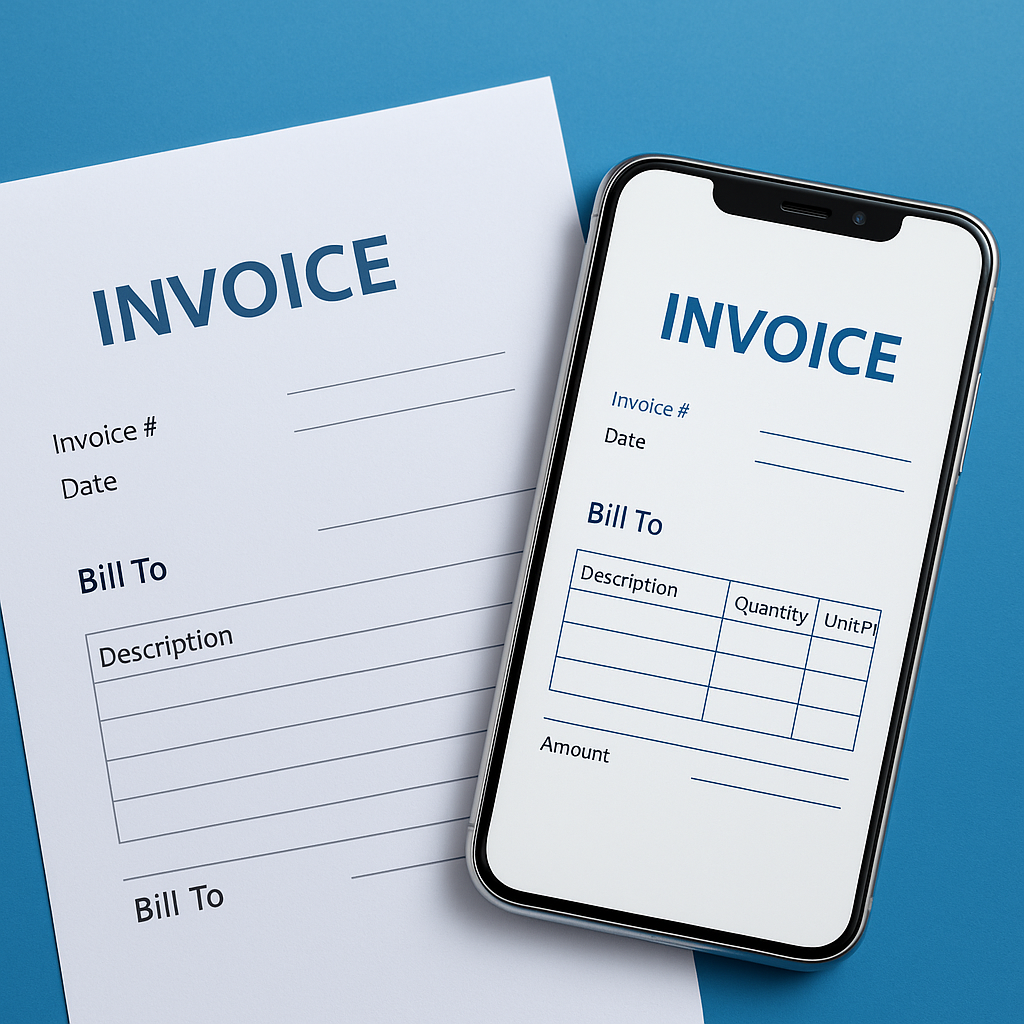
From Manual to Automated: The Rise of Electronic Invoicing
2025-10-30
Introduction
Every business needs a simple system to make bills, collect payments, and record transactions correctly. In the past, most businesses used paper invoices or basic spreadsheets to handle this work. Each bill had to be written or typed manually, which often led to errors, missing details, or misplaced documents. As the number of customers grew, managing hundreds of invoices by hand became time-consuming and confusing. Even small mistakes, like a wrong amount or date, could delay payments and affect a company’s cash flow.
To make billing easier and more accurate, many businesses are now choosing electronic invoicing solutions. These systems let you create, send, and store invoices online with just a few clicks. They automatically track payments, reduce human errors, and keep every record safe and easy to find. With digital invoicing, companies save time, stay organized, and get paid faster all while reducing the stress of managing paper bills.
What Are Electronic Invoicing Solutions?
Electronic invoicing solutions help businesses send and receive invoices online instead of using paper. Every invoice is created, sent, and stored digitally, which saves time and reduces mistakes that happen with manual billing.
These solutions keep a clear digital record of every invoice. You can easily check past invoices, see who has paid, and send reminders if needed. Both small businesses and large companies can use them because they make managing payments simple and organized. Many businesses today are choosing e invoicing software because it helps them work faster and keep everything neat without extra effort.
Problems with Manual Billing
Manual billing can create many challenges for businesses, especially when handling a lot of invoices. Here are some common issues:
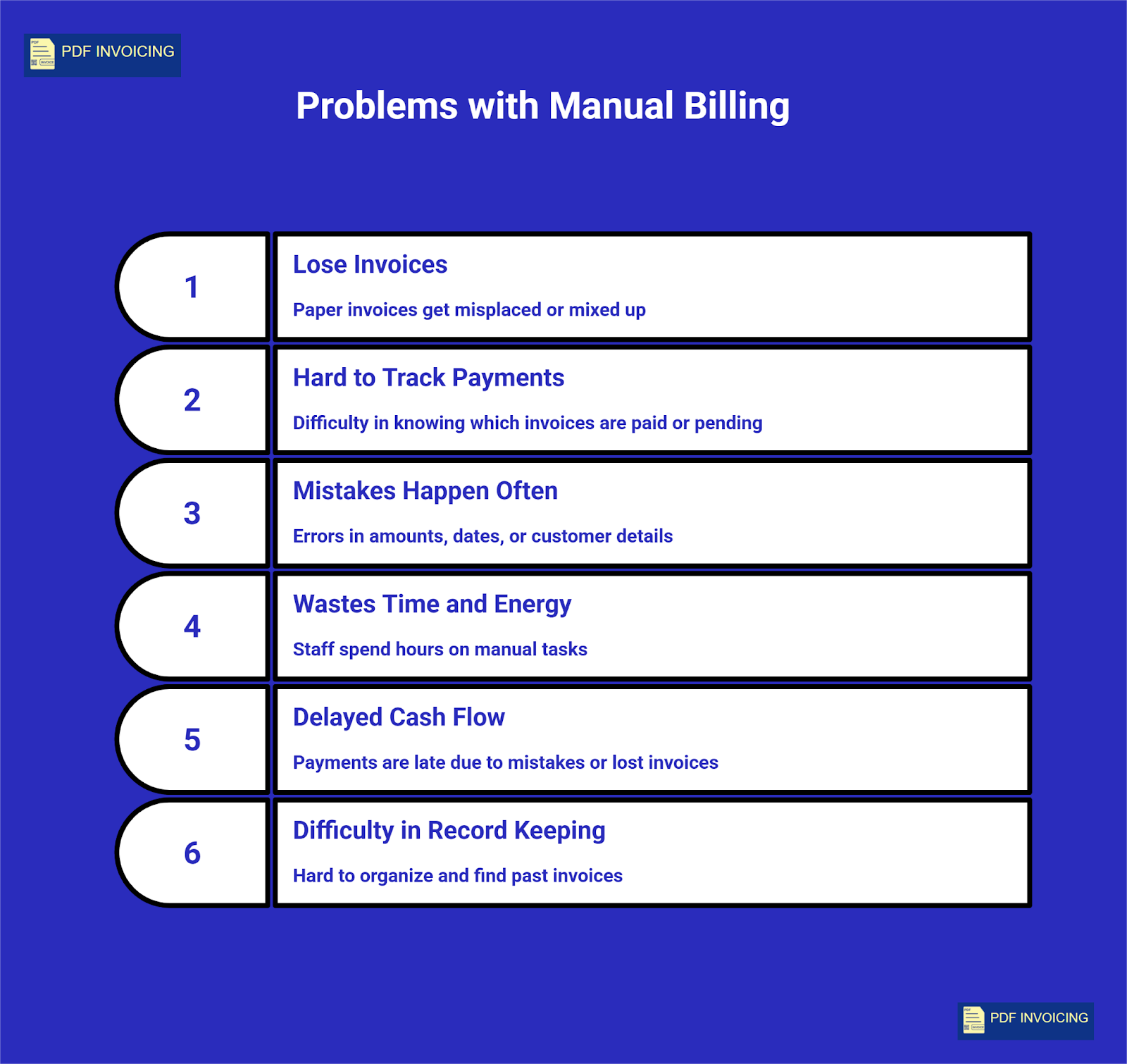
- Easy to lose invoices: Paper invoices can get misplaced or mixed up. Important bills may disappear, causing confusion and delays in payments.
- Hard to track payments: Without a proper system, it’s difficult to know which invoices have been paid and which are pending. This can lead to repeated follow-ups and wasted time.
- Mistakes happen often: Writing invoices by hand or entering data in spreadsheets can cause errors in amounts, dates, or customer details. Even small mistakes can create bigger problems later.
- Wastes time and energy: Manually creating, sending, and tracking invoices takes a lot of effort. Staff spend hours on tasks that could be automated, slowing down business operations.
- Delayed cash flow: Mistakes or lost invoices can make payments late, affecting the money available for daily business needs.
- Difficulty in record keeping: Paper records or separate spreadsheets make it hard to organize and find past invoices when needed.
An invoice tracker helps solve many of these problems by keeping digital records, tracking payments automatically, and reducing human errors. With a proper tracker, businesses can stay organized and save a lot of time and effort.
How Electronic Invoicing Works (Step by Step)
E-invoicing makes creating, sending, and managing invoices much easier and faster than manual billing. Here is a simple step-by-step explanation of how it works:
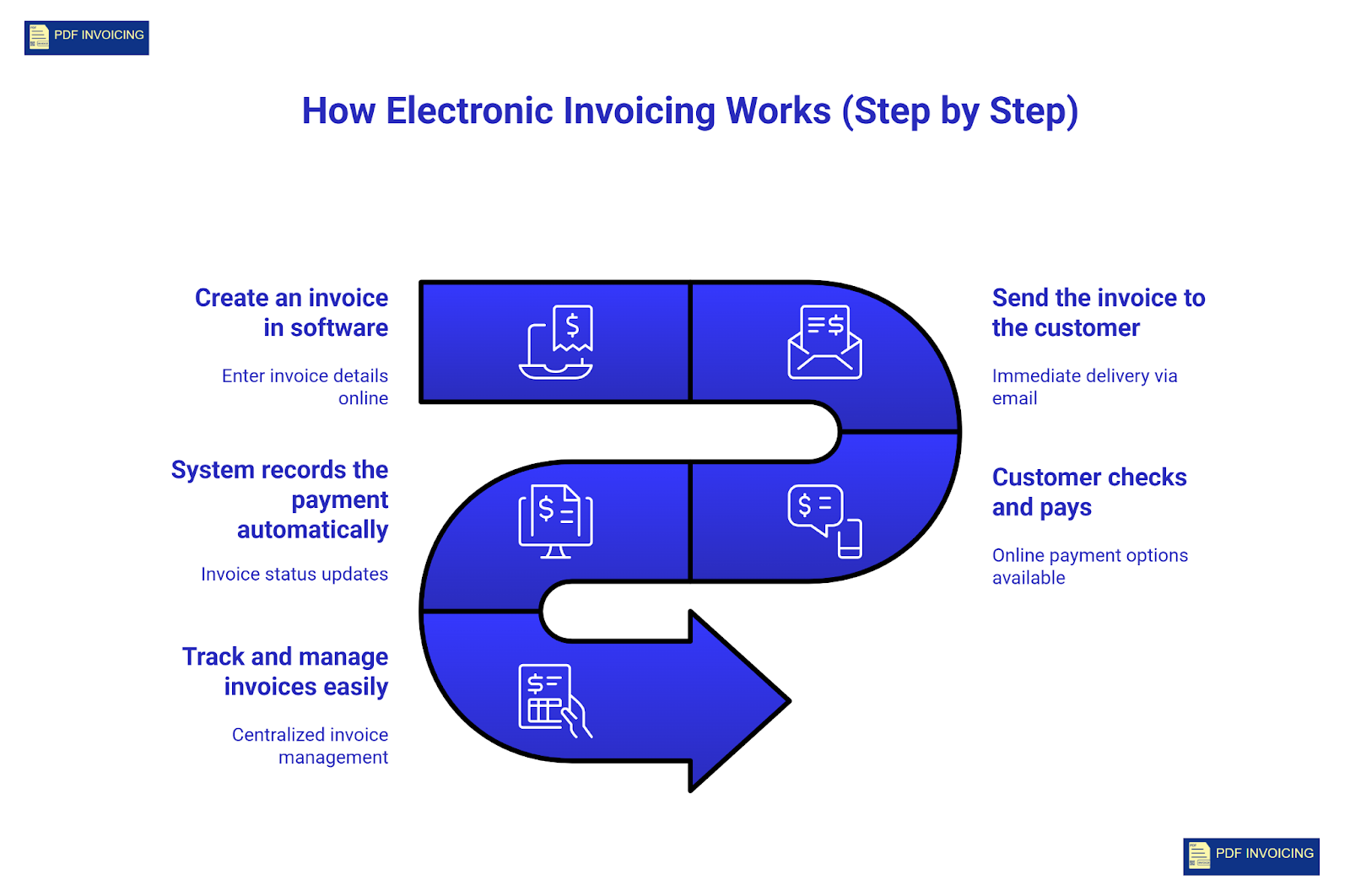
- Create an invoice in software: First, you enter all invoice details into the system, including customer name, products or services, prices, taxes, and due date. Many systems allow you to create PDF e-invoices online, which means your invoice is ready in a clean, professional format that can be easily shared or stored. This also helps in keeping records organized.
- Send the invoice to the customer: Once the invoice is ready, it can be sent immediately through email or a secure online link. This is much faster than printing and mailing paper invoices. The customer gets the invoice instantly and can review all the details clearly.
- Customer checks and pays: The customer reviews the invoice online and makes the payment using their preferred payment method. Online invoicing often provides multiple payment options, which makes it convenient for customers and can help businesses get paid faster.
- System records the payment automatically: After the customer makes the payment, the system updates the invoice status automatically. This keeps a clear record of which invoices are paid, pending, or overdue. Businesses no longer need to manually check each payment, which saves time and reduces mistakes.
- Track and manage invoices easily: Many systems also allow businesses to see all invoices in one place, filter by date or status, and send reminders for overdue payments. This makes managing finances simpler and more organized for both small and large businesses.
Using these steps, digital invoicing becomes a reliable and efficient way to handle all billing tasks without the delays and errors that often happen with manual billing.
Why Businesses Prefer Electronic Invoices
E-invoices have become popular because they make billing much easier and more organized. Here are the main reasons why businesses prefer them:
- Everything is in one digital place: All invoices are stored digitally, so businesses do not have to search through papers or separate spreadsheets. Everything is easy to find and organized in one place.
- Easier to see who has paid and who hasn’t: With digital invoices, it is simple to check which customers have paid and which invoices are still pending. This helps businesses follow up quickly and avoid late payments.
- Customers understand their bills better: Electronic invoices are clear and easy to read. Customers can see all the details, including products or services, prices, taxes, and due dates. This reduces confusion and makes payments smoother.
- Can check invoices anytime, anywhere: Because everything is digital, businesses and customers can access invoices at any time. This flexibility is very useful for companies with remote teams or customers in different locations.
- Helps save paper and is eco-friendly: Using electronic invoices reduces the need for printing and paper storage. This not only saves costs but also helps the environment.
- Easy to manage with free tools: Many businesses use a best free e-invoices PDF generator to create and manage invoices professionally. These tools help maintain accurate records, track payments, and reduce mistakes naturally.
Electronic invoicing is becoming a preferred choice because it saves time, reduces errors, and keeps business finances organized and efficient.
Is Electronic Invoicing Safe and Legal?
Electronic invoices are safe to use and legally accepted in many countries. Businesses can rely on them just like traditional paper invoices because they follow rules and regulations. Here’s how:
- Legally recognized: E invoices are accepted by tax authorities and government agencies as official business documents. They can be used for accounting, audits, and reporting without any issues.
- Secure data storage: Digital invoices are stored safely in secure systems. Advanced protection methods keep customer details, payment information, and invoice records safe from theft, loss, or unauthorized access.
- Compliance with laws: E-invoicing systems are built to follow local tax and business laws. They automatically include all necessary information, such as invoice numbers, dates, and tax amounts, ensuring the invoices are valid and correct.
- Audit-ready records: Because everything is digital, businesses can easily find and share invoices for tax purposes or audits. This reduces errors and makes the process faster than searching through paper files.
- Environmentally friendly: Using e invoices reduces the need for paper, printing, and physical storage, making it a safe, legal, and eco-friendly way to manage billing.
E-invoicing combines security, legal compliance, and efficiency, making it a reliable choice for modern businesses.
How to Start Using Electronic Invoicing
Switching to digital invoicing can make managing bills much easier, but it’s important to set it up carefully. Here’s a step-by-step guide for businesses:
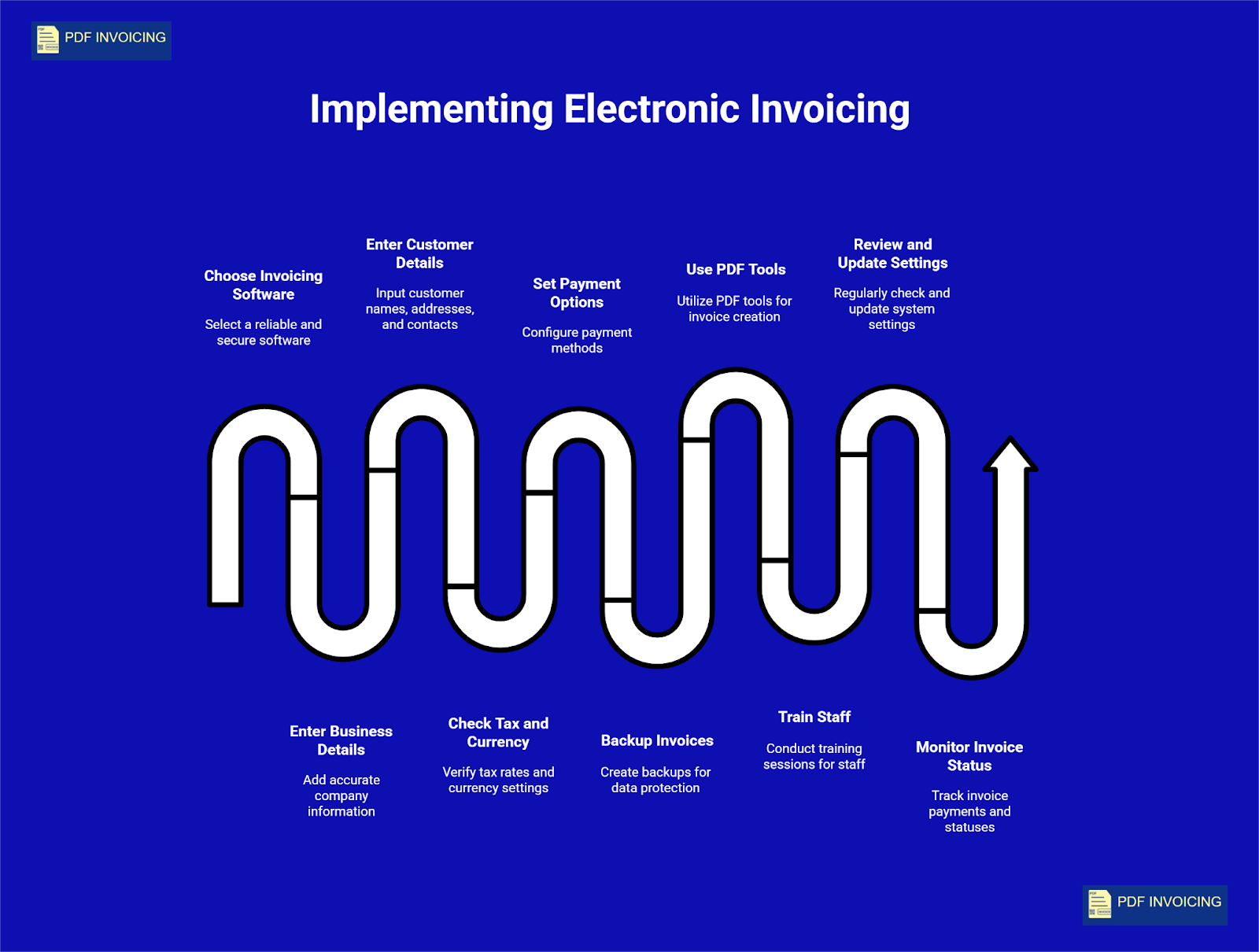
- Pick a trusted invoicing software: Choose a software that is reliable, secure, and fits the size of your business. It should follow tax and legal regulations and provide clear digital records.
- Enter business and customer details carefully: Add accurate details for your company and each customer, including names, addresses, and contact information. Correct details help avoid mistakes and make payments smoother.
- Check tax, currency, and payment information: Make sure all tax rates, currency settings, and payment options are correctly set in the system. This ensures that invoices are valid, clear, and accepted by both customers and authorities.
- Keep a backup of invoices: Even though invoices are digital, it is wise to keep backups in case of technical issues. Most systems allow automatic backup or cloud storage to protect your records.
- Use free PDF invoicing tools when needed: Some businesses also create invoices in PDF format for easy sharing or printing. Tools like PDF invoicing help make professional invoices quickly and keep records organized without extra effort.
- Train staff to use the system: Make sure everyone who will create or manage invoices knows how to use the software. Simple training helps prevent errors and ensures smooth operations.
- Regularly review and update settings: Check that all software settings, customer details, and payment options are up-to-date. This keeps invoices accurate and avoids delays in payments.
- Monitor invoice status: Use the software to track which invoices are paid, pending, or overdue. This makes it easier to follow up and manage cash flow effectively.
Starting with these steps helps businesses adopt digital invoicing safely, efficiently, and without confusion. It reduces mistakes, saves time, and keeps all records organized in one place.
Do you want to switch to digital invoices?
PDF invoicing is a simple way to move from paper to digital billing. Instead of writing bills by hand, you can create invoices in PDF format and send them to your customers by email. This makes your invoices clear, easy to read, and keeps all your records in one place.
The best part is that PDF invoicing can be free. You can create professional invoices quickly without any cost. This helps you save time, avoid mistakes, and track which invoices are paid or pending. Even small businesses can benefit from PDF invoicing because it makes billing faster, safer, and more organized.
Conclusion
Electronic invoicing solutions have changed the way businesses manage their bills. Unlike manual billing, digital invoices reduce mistakes, save time, and make tracking payments much easier. They provide a clear record of every invoice, help businesses stay organized, and make it simple to see who has paid and who hasn’t. Using these systems can improve efficiency and reduce stress for both small and large companies.
Switching to e-invoicing is not just about convenience, it is also safe, legal, and environmentally friendly. Businesses can rely on e invoices to follow tax rules, store data securely, and access invoices anytime. By adopting these solutions and learning to use them properly, companies can manage their finances more effectively and focus on growing their business rather than worrying about billing errors or lost payments.
Frequently Asked Questions
1. Can small businesses use e-invoicing too?
Yes! E-invoicing is not only for big companies, small businesses can use it easily too. Many online e-invoicing tools are simple, affordable, and made for beginners. Small businesses can create professional invoices in minutes, send them instantly to customers, and track who has paid and who hasn’t. This helps small businesses save time, reduce mistakes, and stay organized without needing extra staff or complicated systems. Using e-invoices also helps with taxes and record keeping, which makes business management much easier.
2. How does digital invoicing help me get paid faster?
Digital invoices reach customers instantly by email or secure online links. Unlike paper invoices, customers don’t need to wait for the mail, and they can pay using online payment methods immediately. Many systems also send automatic reminders if the payment is late. This reduces delays, prevents missed payments, and improves cash flow. Businesses can see which invoices are paid and which are pending, making it easier to follow up politely with customers. Overall, it makes the payment process faster and smoother for both businesses and customers.
3. Do I need special knowledge to start electronic invoicing?
No, you don’t need any special knowledge. Most e-invoicing tools are very simple and user-friendly. You just enter your business and customer details, create an invoice, and send it online. The system automatically records payments, keeps track of pending invoices, and stores all data safely. A little practice is enough to use it confidently. Using e-invoices also reduces human mistakes and makes your billing professional, organized, and easy to manage even if you are new to digital tools.