Guide to Creating Digital Invoices with Free E-Invoice PDF Generator
2025-10-08
Introduction
Invoices are an important part of any business. They show what products or services were provided, the cost, and when payment is due. In the past, businesses used paper invoices. But paper invoices can be slow, easy to lose, and difficult to track.
Today, most businesses use digital invoices. Digital invoices are sent and stored electronically. They are faster, safer, and easier to manage. With the best free e-invoices PDF generator, anyone can make professional invoices quickly. You do not need to know complicated software or hire experts.
This guide will explain how digital invoices work, why they are useful, and how to create them online. It will also cover the main benefits of e-invoicing, the tools available, and best practices to manage invoices easily.
What Is E-Invoicing?
E-invoicing, or electronic invoicing, is creating, sending, and storing invoices digitally instead of on paper. An e-invoice contains all the information a regular invoice has. This includes:
- Your business details
- Customer details
- Products or services sold
- Prices, taxes, and total amount
- Invoice number and date
The main difference is that an e-invoice is a file, usually in PDF format, that can be sent by email or downloaded from an online platform. This makes it faster to send invoices and easier to keep records.
E-invoicing is not just for large companies. Small businesses, freelancers, and consultants can also use it. Tools like a PDF e-invoices generator make it simple for anyone to create professional invoices in minutes.
Why Businesses Prefer Digital Invoices
Digital invoices offer many advantages over traditional paper invoices. Here are the main reasons businesses use them:
- Save Time: Creating invoices online is faster than writing them by hand or using paper forms.
- Reduce Errors: Online tools calculate totals and taxes automatically. This lowers mistakes.
- Keep Records Organized: All invoices are stored digitally. You can find any invoice in seconds. Using reliable e-invoicing solutions makes managing and organizing invoices even easier, so your business records stay accurate and accessible.
- Get Paid Faster: Many digital invoices include payment links. Customers can pay directly online.
- Professional Appearance: A digital invoice looks clean and official, which helps businesses maintain a professional image.
- Accessible Anywhere: You can access digital invoices from a computer, tablet, or phone.
How to Create PDF E-Invoices Online
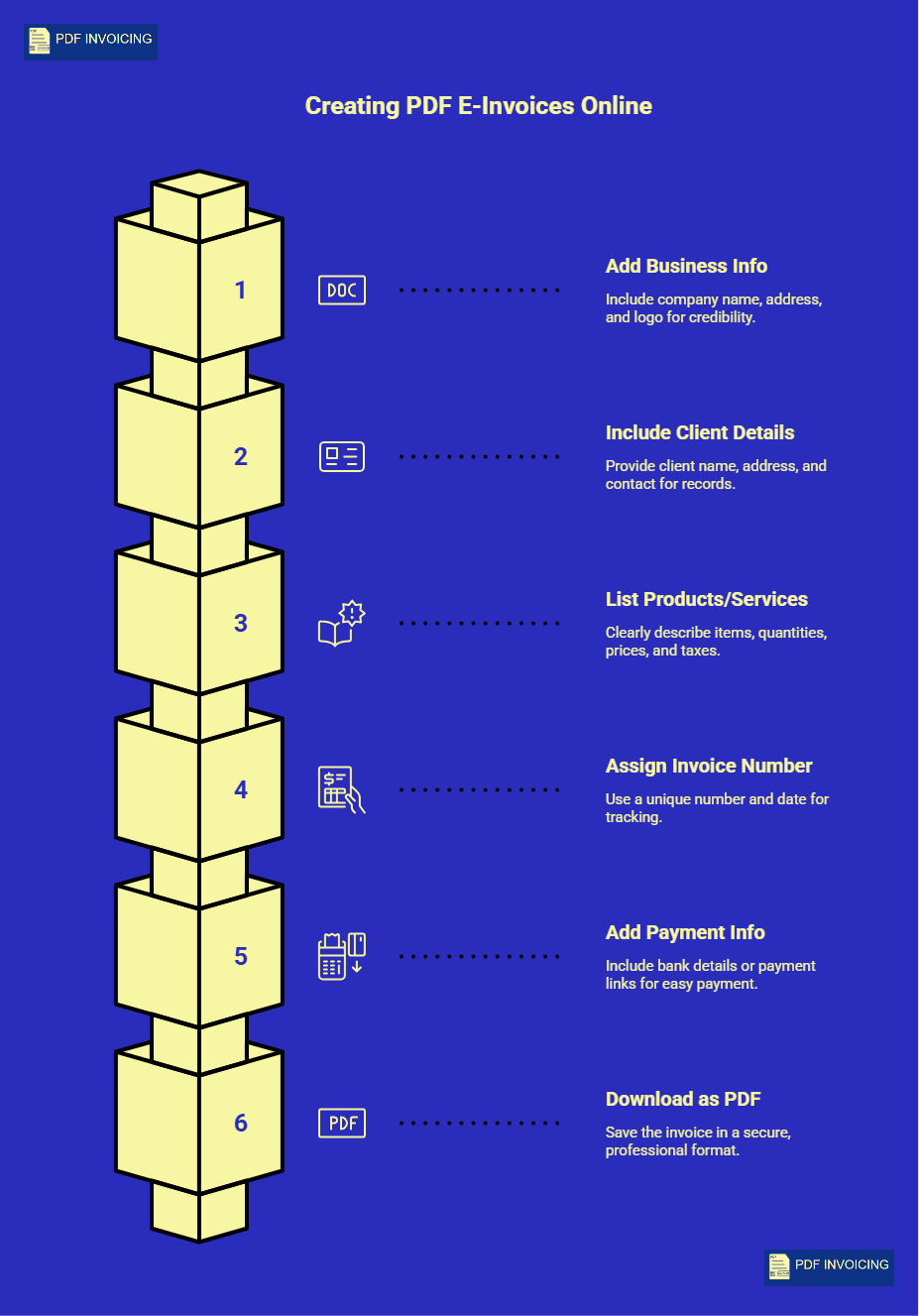
Creating digital invoices does not need complicated software or technical knowledge. With the right tool, anyone can prepare a clear, professional invoice that looks official and contains all necessary information. Here is a step-by-step approach to creating a PDF e-invoice online.
Step 1: Add Your Business Information
Every invoice should start with your business details. This is the first thing your client sees and shows them who the invoice is from. Include:
- Company Name: The official name of your business.
- Address and Contact: Street address, city, and email or phone number.
- Logo: A small image of your business logo makes the invoice look professional.
Providing accurate business information is important. It makes your invoice credible and ensures that clients can contact you if they have questions about the bill.
Step 2: Include Client Details
Next, provide information about the recipient. This helps in keeping proper records and avoids confusion. Include:
- Client Name or Company Name: Whoever is responsible for payment.
- Address: Their official address for records.
- Contact Information: Email or phone number for communication.
Accurate client details are essential for both your accounting and legal documentation. It also shows professionalism and attention to detail.
Step 3: List Products or Services Clearly
Every invoice must explain what is being charged. For each item or service, mention:
- Name of the product or service: Make it clear and descriptive.
- Quantity or hours: Specify the number or time spent.
- Unit Price: How much each item costs.
- Tax: If applicable, include GST, VAT, or local taxes.
- Total Amount: The final amount including taxes.
E invoicing software automatically calculates totals, including taxes and discounts, which reduces errors and ensures your clients see the correct amount immediately.
Step 4: Assign Invoice Number and Date
Every invoice should have a unique number. This helps you keep track of invoices for accounting and tax purposes. Include:
- Invoice Number: It can be sequential, like 001, 002, or use a custom format.
- Invoice Date: The day the invoice is issued.
- Due Date: The day by which payment should be made.
Proper numbering and dating keep records organized and avoid confusion in the future.
Step 5: Add Payment Information
Invoices should guide your client on how to pay. Include:
- Bank Account Details: If payment is via transfer.
- Payment Links: Some PDF generators allow clickable links for fast online payments.
- Payment Instructions: Explain clearly if any special steps are needed.
Providing clear payment instructions increases the chance of getting paid on time and makes the process smooth for clients.
Step 6: Download Your Invoice as PDF
After filling in all the details, you can save the invoice as a PDF. PDFs are preferred because:
- They cannot be easily changed, protecting both your business and the client.
- They look professional and are widely recognized.
- They can be opened on any device, from computers to smartphones.
A best free e-invoices PDF generator ensures your invoice is ready, accurate, and professional in just a few clicks.
E-Invoicing Software and Solutions
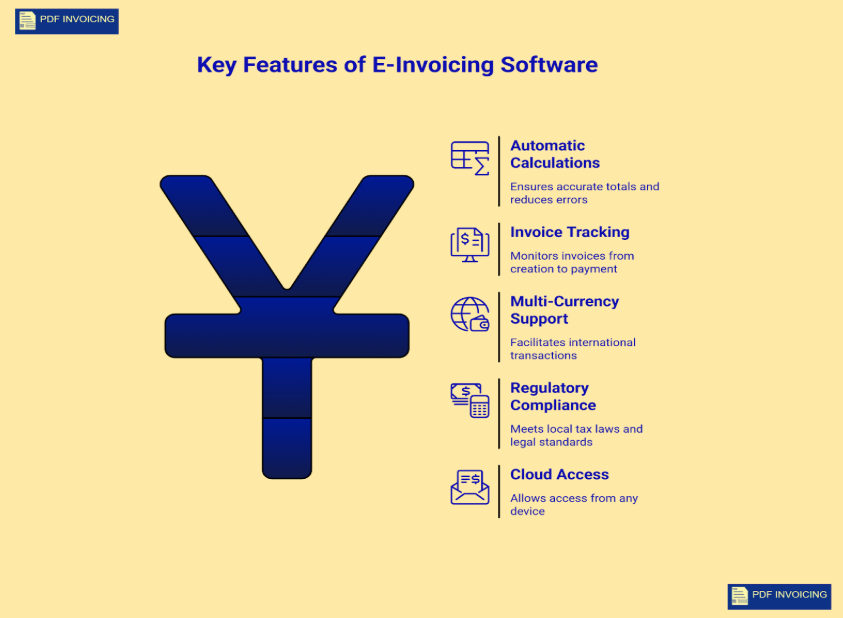
For businesses that want more than just a simple invoice, e-invoicing software offers advanced solutions that make managing invoices easier, faster, and more accurate. These tools are designed to help businesses handle all aspects of billing, from creation to tracking payments. Here is a detailed look at the key features:
1. Automatic Calculations
One of the most useful features of e-invoicing software is automatic calculation of totals and taxes. Instead of manually adding prices or tax amounts, the software calculates everything instantly. This ensures:
- Accurate totals: The final amount is always correct.
- Reduced errors: Mistakes in tax or product totals are minimized.
- Time savings: Businesses spend less time checking numbers and more time focusing on work.
This feature is particularly helpful for businesses that deal with multiple products or services in a single invoice. It keeps records accurate and builds trust with clients.
2. Invoice Tracking
Advanced e-invoicing solutions allow businesses to track every invoice from creation to payment, helping them manage and monitor all their payment invoices efficiently.
- Which invoices have been paid.
- Which invoices are still pending.
- Overdue invoices that require follow-up.
Tracking invoices in real time helps businesses manage cash flow effectively. It also reduces the chances of missed payments, as reminders and alerts can often be set directly within the software.
3. Multi-Currency Support
For businesses with international clients, multi-currency support is essential. E-invoicing software can:
- Convert amounts to different currencies automatically.
- Apply correct exchange rates for accurate totals.
- Show clients invoices in their preferred currency, making transactions easier.
This feature ensures smooth international business operations and avoids confusion related to currency conversions.
4. Regulatory Compliance
Every country has rules for invoicing, taxes, and record-keeping. Advanced e-invoicing solutions ensure your invoices meet local tax laws and legal standards. This includes:
- Adding required tax codes automatically.
- Storing invoices in a format compliant with accounting regulations.
- Providing audit-friendly records for businesses and authorities.
Compliance reduces the risk of penalties and keeps financial records organized.
5. Cloud Access
Modern e invoicing tools are often cloud-based, meaning you can access your invoices from anywhere. Benefits include:
- Viewing or downloading invoices on any device computer, tablet, or phone.
- Sharing invoices with clients instantly via email or links.
- Maintaining records safely without worrying about losing files.
Cloud access keeps invoicing flexible and allows smooth operations even remotely.
Do you spend too much time on manual invoices?
With PDF Invoicing, you can generate PDF e-invoices for free, include all the necessary details, and track all your payment invoices in one place. It keeps your records accurate, organized, and easy to access, making invoicing simple and reliable.
Conclusion
Digital invoices make billing faster, accurate, and professional. Using the best free e-invoices PDF generator helps businesses create clear invoices, track payments, and keep records organized without extra effort.
Advanced e invoicing software adds features like automatic calculations, invoice tracking, multi-currency support, and cloud access, making the process even easier and more reliable.
Switching to digital invoicing saves time, reduces errors, and ensures timely payments, letting your business focus on growth rather than paperwork.
Frequently Asked Questions
1: How does using a PDF e-invoices generator simplify invoice creation for businesses?
A PDF e-invoices generator makes creating invoices much easier. Instead of writing everything by hand, you just fill in your business details, client information, products or services, and prices. The tool automatically adds up totals, taxes, or discounts, so you don’t have to worry about mistakes. You can also set invoice numbers, due dates, and payment instructions easily. Once done, you can download it as a PDF or send it straight to your client. It saves a lot of time and keeps your invoices neat, professional, and easy to manage.
2: What are the benefits of using an e-invoices PDF generator for my business?
Using a PDF e-invoices generator has many benefits. It saves time because you can make invoices in minutes instead of hours. It reduces mistakes, since totals and taxes are calculated automatically. You can also see all your payment invoices in one place, so you know which ones are paid or still due. PDF invoices look professional and are easy to store, making it simple to keep your records organized. Overall, it makes invoicing faster, more accurate, and less stressful, so you can focus on running your business.
3: What tool allows me to customize and download e-invoices for free?
You can use PDF Invoicing to create, customize, and download e-invoices for free. This tool lets you add your business details, client information, products or services, prices, and taxes. You can adjust the layout, include your logo, and set invoice numbers and due dates exactly the way you want. Once your invoice is ready, you can download it as a PDF or send it directly to your client. PDF Invoicing makes the whole process simple and accurate, helping you stay organized, reduce errors, and manage all your invoices in one place without spending extra money.