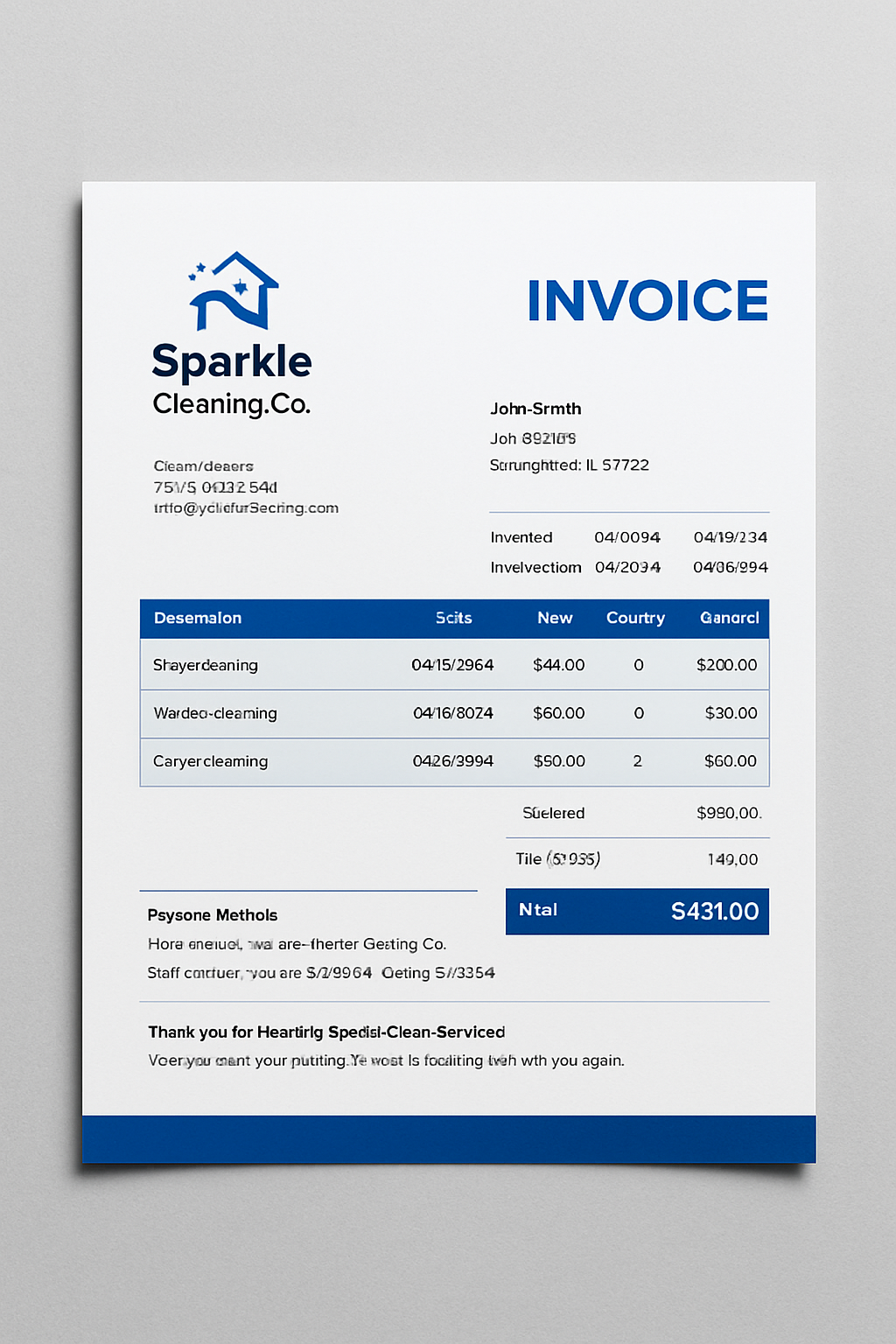
How to Create a Professional Cleaning Invoice That Gets You Paid on Time
2025-10-16
Introduction
Getting paid on time depends on how clearly you handle your billing process. When payment details are incomplete or unclear, it often leads to delays and confusion between you and your clients. A well-structured invoice brings clarity to your business operations. It helps document the services you’ve provided, how much they cost, and when the payment is due. A precise record like this keeps your transactions organized and your cash flow stable.
A professional cleaning invoice does more than summarize costs; it represents the quality and reliability of your business. It helps clients see exactly what services were delivered and what amount is owed, reducing any chance of misunderstanding. Clean, detailed invoices also build trust by showing that you manage your business with care and accountability. When your invoicing process is accurate and consistent, it supports faster payments, transparent communication, and a stronger reputation with your clients.
What is a Cleaning Invoice?
It is a detailed document that records the cleaning work completed for a client and the total amount they need to pay. It shows every part of the job in a clear, organized way: the type of service, hours worked, rates charged, and payment terms. This document helps both the cleaner and the client keep a transparent record of what was agreed upon and delivered.
In professional cleaning services, invoices play an important role in maintaining financial discipline. They help track completed jobs, monitor income, and create accurate business records for tax or audit purposes. For clients, receiving a proper invoice builds trust because it confirms that the charges are fair and supported by clear details.
Unlike casual payment notes or verbal reminders, a cleaning invoice adds structure and accountability to your business transactions. It ensures that nothing is missed or misunderstood from service descriptions to payment deadlines. Over time, consistent and well-documented invoicing improves client relationships and creates a strong foundation for long-term business growth.
How to Create a Professional Cleaning Invoice
Creating a professional cleaning invoice helps you stay organized and get paid on time. It also shows clients that your cleaning business is reliable and transparent.
Today, many businesses use e invoicing software to make invoicing easier. It lets you create and send invoices in minutes, track payments, and avoid manual errors. This simple tool keeps all your records in one place and saves time that you can spend on your actual work.
Here’s a step-by-step guide to help you make a clean, professional invoice for your services.
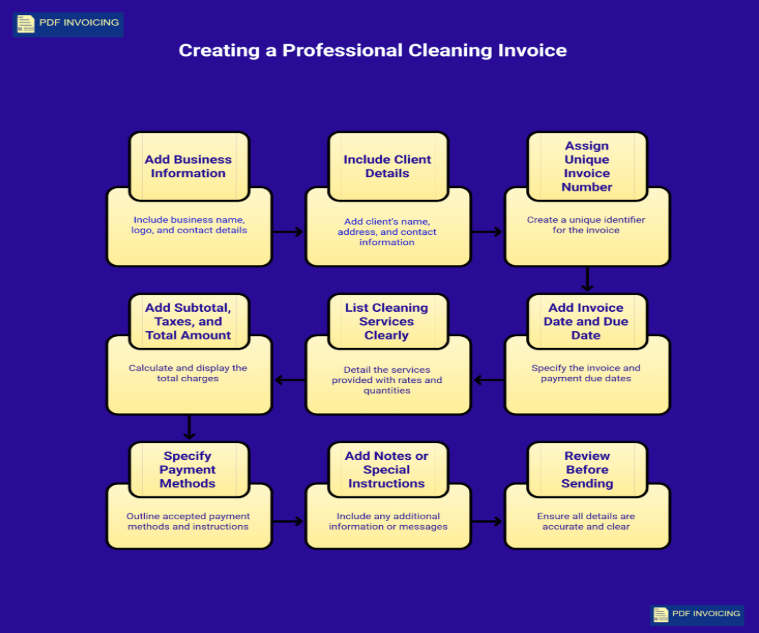
Step 1: Add Your Business Information
Start your invoice with clear and accurate business details. This gives your invoice a professional identity and builds client trust.
Include:
- Your business name or your full name (if self-employed)
- Business logo (if available)
- Contact details phone number, email, and business address
- Website or registration number (optional but helpful)
Use a simple, clean layout so your contact information stands out at the top of the invoice.
Step 2: Include Client Details
After your business information, add the client’s details. This ensures the invoice reaches the right person and keeps your records organized.
Add:
- Client’s full name or company name
- Client’s address or work location
- Contact number or email
- Job reference (if the cleaning was part of a specific project)
Double-check the spelling of the client’s name and email to avoid confusion or payment delays.
Step 3: Assign a Unique Invoice Number
Every invoice must have a unique identification number. It helps track payments and avoid duplicate records.
Example formats:
- INV-001, INV-002, INV-003
- Or include the year: INV-2025-001
A unique invoice number makes it easier for both you and your client to reference specific transactions when needed.
Step 4: Add Invoice Date and Due Date
Every professional cleaning invoice should clearly show two important dates:
- Invoice Date: The day you send the invoice to your client.
- Due Date: The last day the payment should be made (for example, “Payment due within 14 days”).
Keeping your payment terms consistent across all invoices helps clients know exactly when to pay. When the rules stay the same each time, it builds trust, avoids confusion, and ensures smoother, on-time payments.
Step 5: List Cleaning Services Clearly
Give a clear list of the cleaning tasks you completed. When clients can see exactly what each service includes, it prevents confusion and builds trust.
Include:
- Type of cleaning: (e.g., office cleaning, home cleaning, carpet cleaning)
- Date or duration of service
- Rate: hourly or per job
- Quantity: number of rooms, hours, or visits
- Total for each service
Example:
Deep cleaning – 3 hours @ $30/hour – $90
Window cleaning – 2 hours @ $25/hour – $50
Adding this level of detail makes your invoice more professional and helps during record checks or when preparing a payment invoice for your next client.
Step 6: Add Subtotal, Taxes, and Total Amount
After listing services, calculate the total charges.
Show these separately:
- Subtotal – total before tax
- Tax – applicable sales tax or VAT
- Discounts (if any)
- Final total – amount the client must pay
Always display taxes clearly. It keeps your invoice compliant and professional.
Step 7: Specify Payment Methods
Make it easy for your client to pay you by clearly explaining how and where they can send the payment.
When the payment process is simple, clients are more likely to pay on time.
Include these details in your invoice:
- Accepted payment methods: Mention if you take bank transfers, PayPal, cash, or checks.
- Account information or payment link: Provide the exact details or link your client needs to complete the transaction.
- Late payment policy: If you charge a small fee for late payments, clearly mention it here. This helps avoid confusion or delays later.
The easier you make the payment process, the faster clients settle their bills. Offering a few flexible options shows professionalism and helps build trust.
Step 8: Add Notes or Special Instructions
Use the notes section to share any helpful information related to the job or payment.
You can include:
- A thank-you note for the client’s business
- Warranty or follow-up cleaning details
- Reminder of next scheduled service
- Personalized message for client satisfaction
Example:
“Thank you for choosing SparkleClean Services! We appreciate your trust and look forward to working with you again.”
Step 9: Review Before Sending
Before sending your cleaning invoice, double-check:
- All details are accurate
- Totals are correct
- Payment dates are clear
- The layout looks clean and easy to read
A well-reviewed invoice not only reflects your professionalism but also helps prevent delays or confusion.
Tips to Make Your Cleaning Invoice More Professional and Error-Free
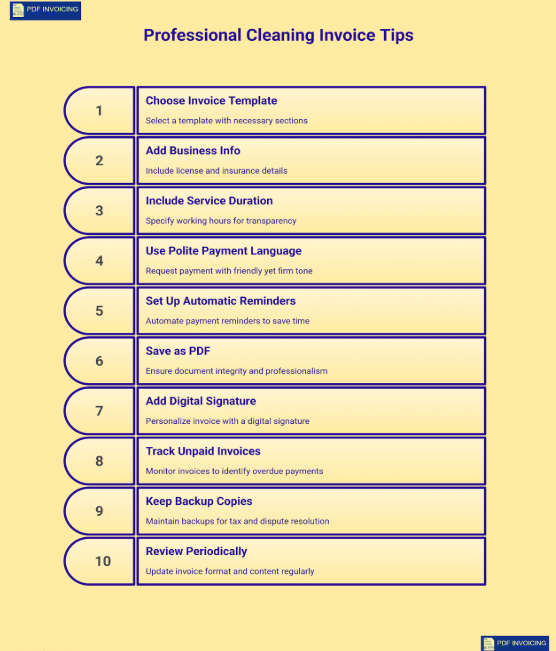
- Use invoice templates designed for cleaners
Choose a template that already includes sections for cleaning tasks, hourly rates, and supplies used. It saves time and keeps your invoices consistent and easy to read.
- Add your business license or insurance info (if applicable)
Mentioning that your cleaning business is licensed or insured gives your invoice extra credibility, it reassures clients that you run a legitimate, responsible service.
- Include your working hours or service duration
When clients can see exactly how much time each job took, it supports your pricing and builds trust in your professionalism.
- Keep tone polite but firm about payments
Use friendly yet clear language like “Payment is kindly requested within 14 days.” This sounds professional without being too strict.
- Set up automatic reminders
It’s not always easy to remind clients about payments. With automatic invoicing, you don’t have to do it yourself. The system sends friendly reminders when a payment is due. This saves your time and helps you get paid without any awkward follow-ups.
- Save invoices in PDF format only
PDFs maintain layout, look professional, and can’t be easily edited which protects your records from accidental changes.
- Add your digital signature
A small digital signature (typed or scanned) at the end adds a human touch and makes the invoice feel official.
- Track unpaid invoices regularly
Don’t just send and forget your invoices. Use an invoice tracker or check your dashboard weekly to spot overdue payments early and keep your records up to date.
- Keep backup copies
Always keep a backup (cloud or local) of every invoice. It’s essential for tax filing and dispute resolution.
- Review periodically
Every few months, review your invoice format and content. Update it to reflect your latest branding, prices, or new services.
Want a faster way to manage cleaning invoices?
With PDF Invoicing, you can create clean, accurate bills for your cleaning clients in just a few clicks. It’s completely free and helps you stay on top of payments without the extra effort.
Conclusion
A professional cleaning invoice is more than a document; it's a sign of how carefully you run your business. When every detail is clear, from services to payment dates, it shows clients that you value transparency and organization. This not only helps you get paid on time but also strengthens client trust over the long term.
By using a clear format, reviewing your invoices regularly, and keeping records organized, you create a system that supports steady cash flow and fewer payment issues. Whether you use a cleaning invoice template or e-invoicing software, the goal remains the same to keep your business operations smooth, professional, and easy for both you and your clients.
Frequently Asked Questions
1: Why do I need a cleaning invoice for my business?
A cleaning invoice is important because it helps you keep your work and payments clear. It shows what services you gave, how much they cost, and when the client should pay you. When everything is written properly, there’s no confusion later. A cleaning invoice also helps you keep track of your income, manage your records for tax time, and make your business look more professional to clients.
2: What should I include in a professional cleaning invoice?
Your cleaning invoice should have all the main details about the job. Add your business name, logo, contact number, and email at the top. Then write your client’s name, service date, and a clear list of cleaning tasks with prices. Don’t forget to include the total cost, payment due date, and how the client can pay you. Adding a short thank-you note or message at the end also makes the cleaning invoice feel friendly and professional.
3: How can I make sure clients pay my cleaning invoice quickly?
To get paid faster, always send the invoice as soon as the job is done. Mention the due date clearly and offer simple payment options like bank transfer, PayPal, or cash. You can also send a gentle reminder a few days before the due date. A polite tone, clear details, and an easy process help your clients pay your cleaning invoice on time without any delay.